

MFT/3 Conturo-AP

Multifunction table
for KA 65
Contains
2 Article
Product details
The CONTURO as a stationary machine

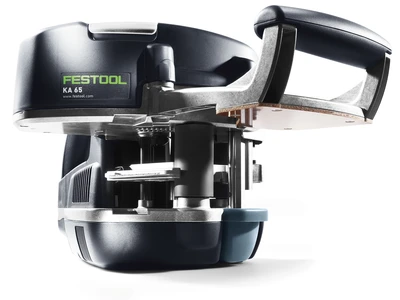
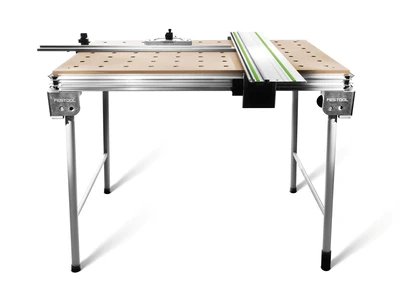
To work with the CONTURO as a stationary unit, simply insert the machine in an adapter plate in the MFT 3 multifunction table or a bench you have built yourself. Not only can you affix edging to straight edges or curves, but also oblique edges with an angle between 90° - 45° because the CONTURO can be tilted 90° - 45° in the stationary unit.

Attaching edging to straight or shaped parts

This stationary working method is very practical for straight edges along small or narrow workpieces that are difficult to clamp. The edge is inserted in the usual way, the workpiece is then guided along the rail while even pressure is applied to the contact roller.

Attaching edging to mitre joints

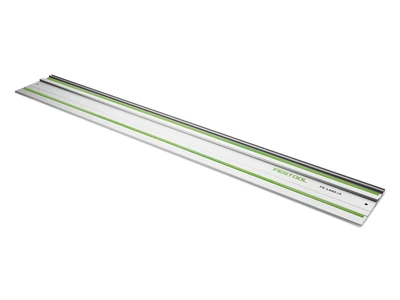
For attaching edging to mitre joints, the CONTURO is simply tilted in the stationary unit to the desired angle (angles of 90° - 45° are possible). The guide rail adapter ensures that the edge is glued on straight and does not run off course. The rail can be set for edge thicknesses of 0.5 - 3 mm. The workpiece is then simply guided past the CONTURO and the edging is glued on.

Simple MFT 3 conversion

Any conventional MFT 3 multifunction table can also be easily converted for stationary use of the edge bander. The standard perforated top on the MFT 3 can be easily replaced with the special LP-KA65 MFT/3 perforated top – the required M4 sleeves for screwing in the guide plates are included. The AP-KA 65 adapter plate is also required – 15 guide plates are included.